


Everyday splashes

The IP67 water-resistant design supports common splashes and hand washing. Follow the product’s care instructions.
🎃 HALLOWEEN FAVORITES ARE HERE
🖤 DARKLY BEAUTIFUL — elevated picks for spooky season
🎃 HALLOWEEN FAVORITES ARE HERE
🖤 DARKLY BEAUTIFUL — elevated picks for spooky season
🎃 HALLOWEEN FAVORITES ARE HERE
🖤 DARKLY BEAUTIFUL — elevated picks for spooky season
🎃 HALLOWEEN FAVORITES ARE HERE
🖤 DARKLY BEAUTIFUL — elevated picks for spooky season
🎃 HALLOWEEN FAVORITES ARE HERE
🖤 DARKLY BEAUTIFUL — elevated picks for spooky season
🎃 HALLOWEEN FAVORITES ARE HERE
🖤 DARKLY BEAUTIFUL — elevated picks for spooky season
🎃 HALLOWEEN FAVORITES ARE HERE
🖤 DARKLY BEAUTIFUL — elevated picks for spooky season
🎃 HALLOWEEN FAVORITES ARE HERE
🖤 DARKLY BEAUTIFUL — elevated picks for spooky season
🎃 HALLOWEEN FAVORITES ARE HERE
🖤 DARKLY BEAUTIFUL — elevated picks for spooky season
🎃 HALLOWEEN FAVORITES ARE HERE
🖤 DARKLY BEAUTIFUL — elevated picks for spooky season
🎃 HALLOWEEN FAVORITES ARE HERE
🖤 DARKLY BEAUTIFUL — elevated picks for spooky season
🎃 HALLOWEEN FAVORITES ARE HERE
🖤 DARKLY BEAUTIFUL — elevated picks for spooky season
🎃 HALLOWEEN FAVORITES ARE HERE
🖤 DARKLY BEAUTIFUL — elevated picks for spooky season
🎃 HALLOWEEN FAVORITES ARE HERE
🖤 DARKLY BEAUTIFUL — elevated picks for spooky season
🎃 HALLOWEEN FAVORITES ARE HERE
🖤 DARKLY BEAUTIFUL — elevated picks for spooky season
🎃 HALLOWEEN FAVORITES ARE HERE
🖤 DARKLY BEAUTIFUL — elevated picks for spooky season
You're $55 away from FREE shipping!
Couldn't load pickup availability


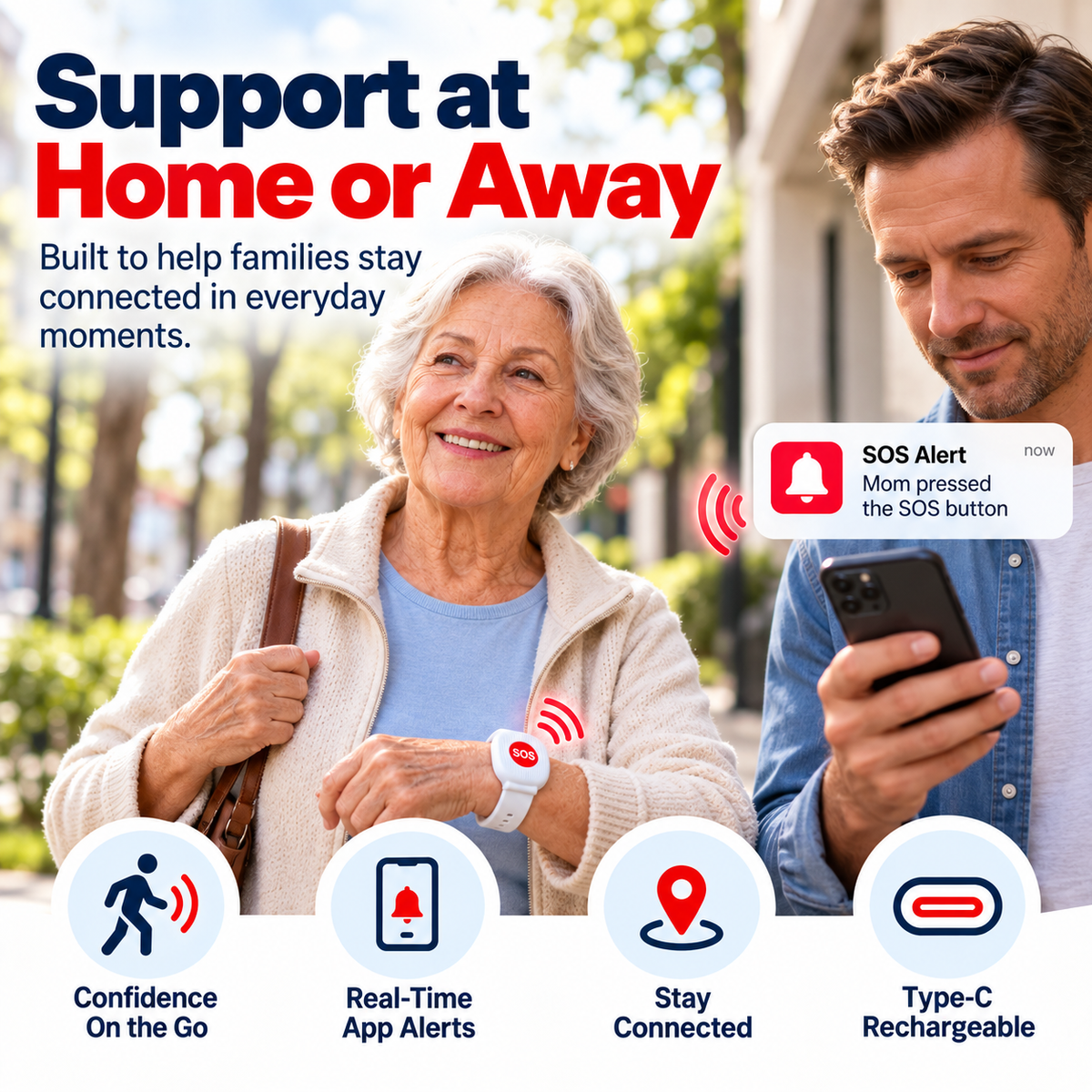
A wrist-worn SOS button helps seniors alert family when support is needed. One clear button, without complicated screens or menus.

App alerts require compatible WiFi and completed app setup.
Everyday routines don’t always keep a phone within reach. A wearable button gives someone you care about a simple way to request support while moving around the house.

Keep the button on the wrist during daily tasks.
A clear physical button stays nearby.
Water resistance supports routine hand washing.
Wear it where your compatible WiFi reaches.
When the device is connected and set up, pressing the red SOS button sends an alert through its connected app so family members can see that support is needed.

Use the large red SOS button when help is needed.
The configured device uses its compatible WiFi connection.
The connected app delivers the SOS notification.
Keep the device charged and connected, and enable notifications in the receiving app.
A recognizable SOS button, everyday water resistance and rechargeable power help keep the routine straightforward.
The IP67 water-resistant design supports common splashes and hand washing. Follow the product’s care instructions.

Type-C charging keeps upkeep simple and reduces the need for frequent battery changes.
Charge the device before first use.
Connect the device to the app and a compatible 2.4GHz WiFi network.
Wear it daily so the SOS button stays within reach.
Press SOS to send an alert through the connected app.
Swipe to see all four steps →
After the device and app are set up and connected, press the large red SOS button to send an alert to the connected family app.
It uses a compatible 2.4GHz WiFi network. Complete the app setup before relying on the alert function.
App alerts require a compatible WiFi connection. Keep the device within the configured network’s coverage when using the alert function.
The device has an IP67 water-resistant design for common splashes and everyday hand washing. Follow the care instructions supplied with the product.
Use the Type-C charging connection and follow the supplied charging instructions. Charge it before first use and keep it ready for your daily routine.
No. It provides app-based notifications to family. It does not replace emergency medical or professional monitoring services.
A simple button on the wrist gives someone you care about another way to ask for support without reaching for a phone.
This product does not replace emergency medical or professional monitoring services.